Essay · 2013
Story mapping, beyond agile
To build a good product, product managers, developers and designers all need the big picture and every small detail. Story mapping gives a team both, on one wall, with sticky notes.
I first used it at DesignMap. Jeff Patton developed story maps to connect design process with agile development. The benefits don't depend on being agile. They work for any team that wants to agree what it is building and for whom.
Why it works
Ideas are easy. A good product depends as much on the tough calls about what doesn't make the cut as on the interaction design. A story map helps you balance what the user needs against what you can deliver on time. It is cheap, quick and visible, and it exposes complexity that would otherwise surface only when someone is building the thing.
Writing a story also forces empathy. A product that anticipates what the user wants, fears and hopes for will almost always beat expectations.
How to run one
Start with an actor, not a feature list. Pick one persona and tell the story of how she gets the job done, and why. Use a small team of three at most, ideally people who have listened to real users, plus a lot of sticky notes and wall space.
- Epics. Describe the whole workflow in broad steps, one note each, so it reads end to end like a sentence. Jane wants to read, manage and respond to email, and create new messages.
- Activities. Under each epic, add what she is trying to do and why. "Prioritize emails from multiple accounts to feel in control."
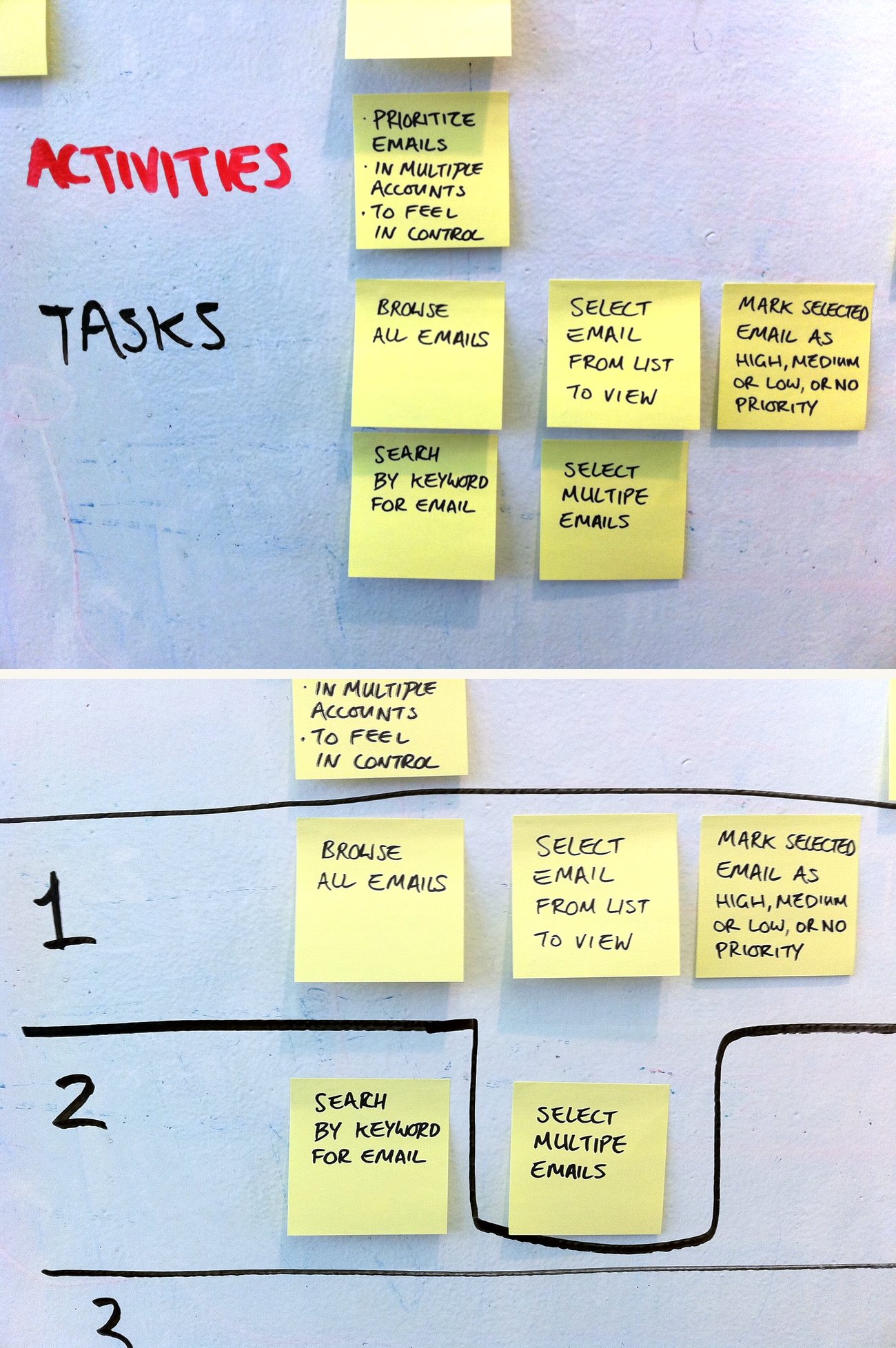
- Tasks. Go granular. The individual actions and decisions go left to right in sequence. Alternatives stack vertically, so you can read down a column with "or" between each.
- Prioritize. Move the tasks that matter most to the top of each column. The top row, read across, is your minimum viable product.
- Slice. Draw lines across the map to decide what ships in each release.
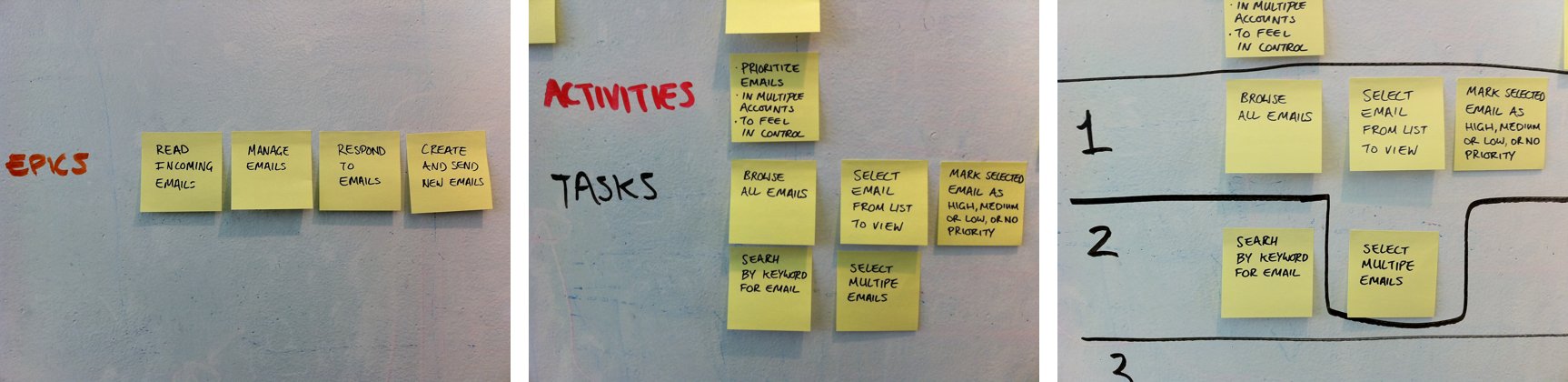
Spend most of your time on the tasks. They are the building blocks, and writing them will often send you back to revise the activities and epics above. That is the map working.
Why I keep using it
A wall of sticky notes makes a plan physical. People can see how big it is. Stand back for the big picture, step forward to see each piece. The whole team can gather around it, argue about it and celebrate each milestone.
I used the same method years later at [24]7 to map a suite of tools for building and deploying chatbots. You can see how it shaped that work in Safe changes for the people who build AI.