Granicus 2007 · Govinity 2025–2026 · Govtech
Public meetings, twenty years apart
A city council meeting is live, public and legally on the record. The clerk running it can't pause to hunt for a button. Twice, nearly twenty years apart, I've designed the tools used in that room.
- Then
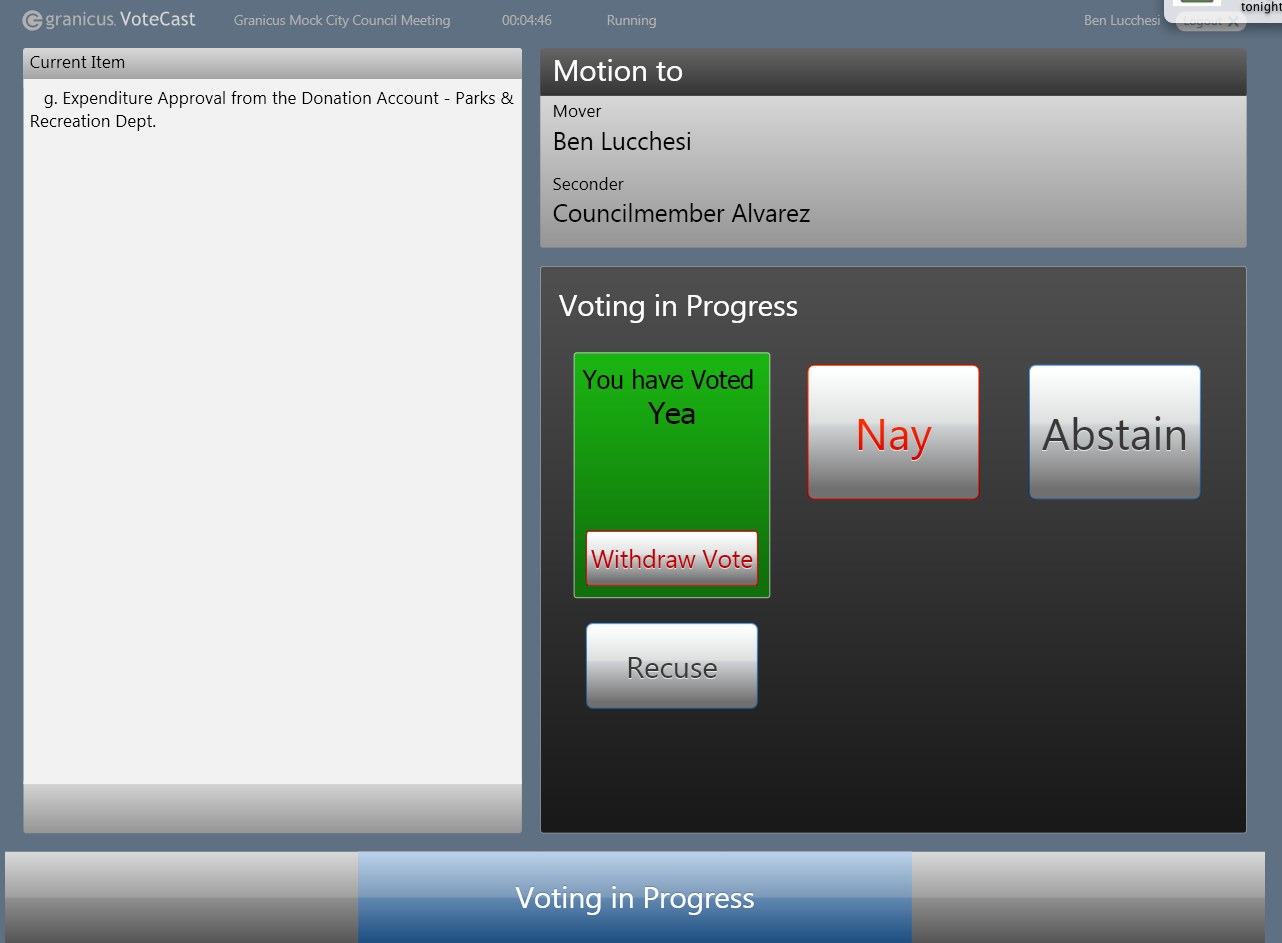
- VoteCast Touch at Granicus: touchscreen voting for elected officials and meeting chairs
- Now
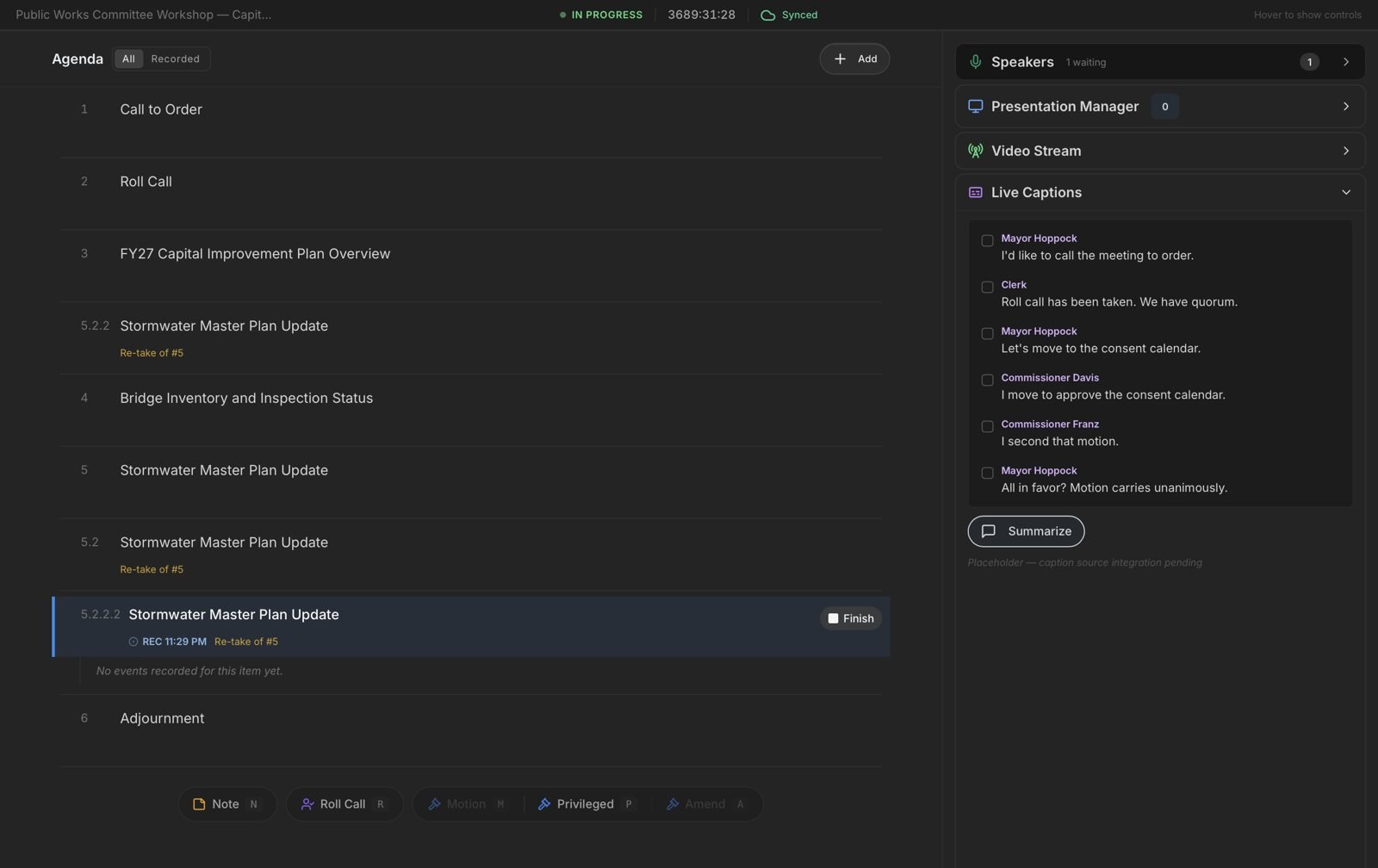
- Govinity clerk console: running agendas, motions, roll calls, speakers and captions live. UX designer, contract
- Users
- City clerks, council members, chairs, and the stenographers and shorthand writers who record them
Then: VoteCast Touch
VoteCast was an existing product that wasn't working. Its users were elected officials, often wary of technology arriving in their chamber. Rather than reskin it, we ran a full process: workflow mapping, paper prototypes, interactive prototypes, and testing with the people who'd use it on the dais.
The redesign made every state unmistakable. A member who made a motion sees it. A vote in progress takes over the screen. A cast vote shows clearly, with a way to withdraw it. Feedback from clerks shaped the details: always show the motion text, tie the speaker list to the current item, and keep the result visible until the next item starts.
Now: the Govinity clerk console
Govinity, founded by people I'd worked with at Granicus, builds end-to-end software for public meetings. Its engineers had built the clerk's live-meeting console to meet an urgent need. It worked, but it was inconsistent, unfocused and built for the mouse.
I audited the interface and reworked it, prototyping directly in Replit so engineers had working code to build from, not static mockups.
Design basics, applied
Consistent components, spacing and type across every panel. A clear hierarchy so the current item and live status lead, secondary tools sit one level back, and tertiary functions stay out of the way until needed.
Night mode
Meetings run for hours. A dark interface eases eye strain and lets the few things that matter, live status, the active item, a motion on the floor, stand out with real contrast.
Hands never leave the keyboard
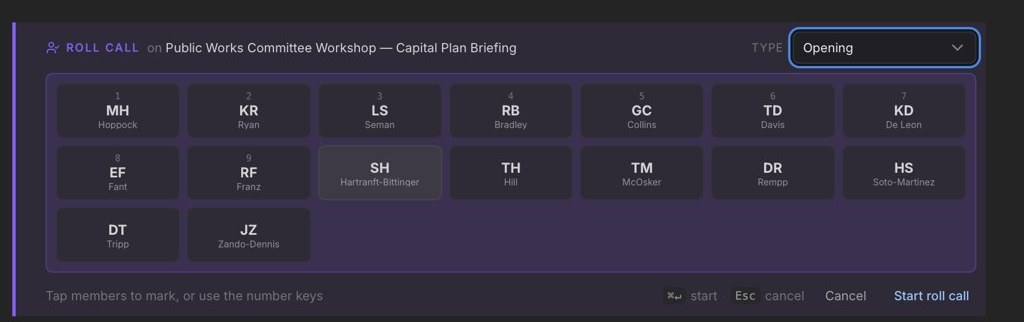
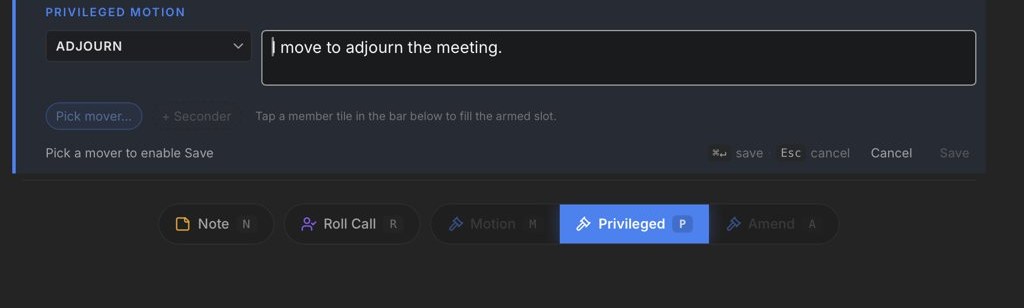
Clerks type, and some record with steno machines that act as keyboards. Every action got a single key: N for a note, R for roll call, M for a motion, P for a privileged motion, A for an amendment. Roll call is marked with number keys, Escape cancels, and a status bar always shows which mode the clerk is in.
AI in the workflow
I used Claude to research and pressure-test the keyboard-first strategy: shortcut architecture, focus management, steno compatibility (no autocorrect or smart quotes fighting the stenographer), foot pedals, and offline resilience for chambers with bad Wi-Fi. Then I built the prototypes in Replit with AI-assisted code.
Outcome
The redesign went to Govinity's engineers as working prototypes. Govinity is now rolling out to its first government clients.
Looking back
The job in the room hasn't changed in twenty years: an agenda, a motion, a mover and a seconder, a vote, a queue of speakers. What changed is how I work. In 2007 a prototype meant weeks of Flash. In 2026 it meant a working app in days, which let the design conversation happen in the product itself.
The constant lesson: in live, high-stakes operations, the interface has to show exactly one thing that needs attention, and make the next action effortless.